Why does using Wi-Fi for extended periods drain more battery than using mobile data?
You probably tap the Wi-Fi icon on your phone without a second thought. It's become almost second nature—at home, in cafes, at the office, in hotels, and even in places with poor connectivity like airports. You try to connect because seeing your phone switch from mobile data to Wi-Fi brings a sense of relief.
You might even feel that connecting to Wi-Fi is the “safe” choice—it saves data and keeps your phone running more smoothly. But sometimes, when you glance at your battery percentage, you're puzzled: Why does your phone drain faster after being on Wi-Fi all day than when using mobile data alone?
It feels counterintuitive—shouldn't Wi-Fi be more power-efficient for your phone? Shouldn't it save battery? Yet in daily life, you often find the opposite is true. That's when you realize there's a hidden story within your phone—one that explains why prolonged Wi-Fi use actually drains more power than mobile data.
Wi-Fi Drains Faster
You wake up in the morning, pick up your phone to check the time, and discover the battery has dropped from 98% to around 74%—even though you barely used it. You might assume you forgot to fully charge it, or that some app malfunctioned overnight.
But sometimes, the reason is simpler and more common: your phone stayed connected to Wi-Fi, and that Wi-Fi network wasn't as stable as you imagined. You might picture Wi-Fi as a quiet, steady stream of energy, continuously powering your phone all night long. But the truth is, Wi-Fi is more like a doorbell that keeps ringing.
Even when you're not holding your phone, it constantly prompts your device to stay awake, check connections, maintain handshakes, send weak signals, and stay alert. In contrast, mobile data typically lets your phone “relax” more, allowing it to enter deep sleep mode when not performing heavy tasks.
You might not consciously notice all these changes, but you'll definitely feel their effects—faster battery drain, hotter devices, more frequent app refreshes, and background notifications ringing at odd times. So let's explore some real-world scenarios to understand why Wi-Fi, though familiar and convenient, can sometimes become the more power-hungry “enemy.”

Constant scanning drains significant power
You walk around your home with your phone—while your router sits quietly in a corner. Every time you shift position slightly, your phone recalibrates the Wi-Fi signal. You might not notice this at all, but your phone certainly does.
The connection fluctuates between strong and weak, then strengthens again, only to be partially blocked by a wall or refrigerator, or partially interfered with by the microwave you're using to reheat leftovers.
Your phone reacts to every slight change, constantly checking network quality, sending ping requests to the router, and receiving verification signals to maintain the connection.
This process is called Wi-Fi scanning, and it's one of the main reasons Wi-Fi consumes more power than mobile data in real-world use. Mobile data, on the other hand, isn't affected by your movements around the house.
You can walk freely, go up and down stairs, or even spin in circles—your phone signal remains largely stable because the connection comes from distant cell towers, not the router tucked away in your living room corner.
Your phone doesn't need to constantly reassess signal strength. It simply stays connected, like someone calmly holding your hand instead of tapping your shoulder every few seconds. So when you feel like you're doing nothing, your phone is actually working hard—harder than you realize—trying to maintain a perfect connection to your familiar home Wi-Fi.
Wi-Fi Prompts More Activity on Your Phone
Have you noticed that when your phone connects to Wi-Fi, it suddenly updates apps, downloads photos from the cloud, refreshes your gallery, syncs messages, backs up files, or preloads videos? This is because most operating systems—whether you use Android or iOS—assume by default: Wi-Fi = unlimited data, stable connection; mobile data = cautious, limited connection.
So when your phone detects a Wi-Fi connection, it seizes the opportunity to perform tasks it deliberately avoids when using mobile data.
You might think your phone is “resting,” but in reality, it's busily syncing app data, downloading software updates, refreshing social media feeds, updating app libraries, backing up photos or videos, reindexing files, performing cloud operations, updating system services, and so on.
These hidden tasks can even trigger when your screen is off. Your phone treats a Wi-Fi connection as permission to be more active. Of course, being more active means higher power consumption.
On the other hand, mobile data puts your phone into a more conservative mode. The system avoids performing many background tasks, assuming you might need to conserve data. So it holds back, delaying tasks until a Wi-Fi connection becomes available. This restriction unintentionally makes your phone consume less power when relying solely on mobile data.
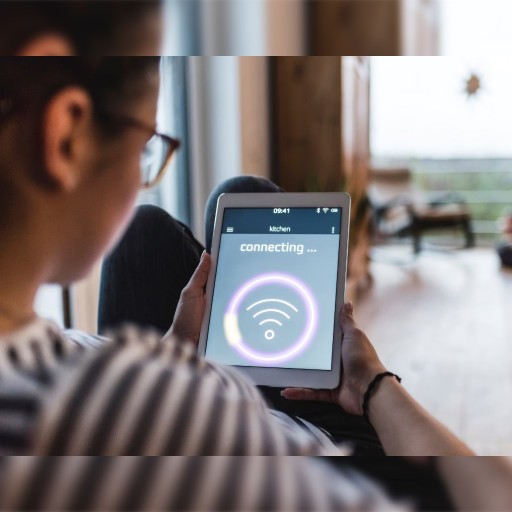
Weak Wi-Fi Signals Equal Faster Battery Drain
You've likely encountered this scenario: connecting to slow Wi-Fi at a café or friend's house. Webpages load sluggishly, videos buffer constantly, and the connection occasionally drops. You might think, “Since Wi-Fi is free, why not use it?”
But what you don't realize is that your phone is working hard to maintain that connection, draining battery far faster than if you switched back to mobile data. When Wi-Fi is weak, your phone boosts its power output to stay connected. It amplifies its internal Wi-Fi signal, sends more frequent reconnection requests, and constantly scans nearby networks.
These extra efforts add up, turning a seemingly harmless connection into a battery-draining battle. Mobile data behaves differently. Even with a slightly weaker cellular signal, your phone rarely scans as frequently.
It doesn't constantly search for alternative base stations. It maintains the current connection until switching is truly necessary. Ironically, using a weak Wi-Fi network typically drains more battery than using a weak cellular data network—your phone has to work harder to maintain a wireless connection with a poor-signal router.
Apps behave differently in Wi-Fi environments
You may notice that streaming services load higher-resolution videos over Wi-Fi. Social media apps refresh more content. Your phone fetches higher-quality images. Email apps sync more attachments. Cloud services refresh more frequently. Your phone interprets Wi-Fi as convenient, fast, and lower-cost.
Apps exploit this assumption. But every megabyte downloaded consumes power. Each feed refresh triggers more processing. Each photo sync briefly wakes your phone to store, categorize, and possibly even back up the file. Mobile data triggers fewer of these actions, so your phone runs fewer processes.
You might not notice this difference directly, but after extended, uninterrupted Wi-Fi use, you'll clearly feel your battery draining faster than when using mobile data. Your phone has different “resting” states: light sleep, deep sleep, standby mode, partial wake state, and background refresh state.
Think of deep sleep as your phone curled up in bed, barely moving unless something truly important happens. Mobile data makes it easier for your phone to enter deep sleep because it offers a simpler, more predictable connection pattern.
However, Wi-Fi frequently wakes your phone: these micro-wakes, occurring dozens or even hundreds of times per hour, disrupt deep sleep—like someone gently nudging you every few minutes while you're trying to rest. You don't fully wake up, but you never reach deep sleep either. Your phone experiences the same thing.
Just as you feel exhausted afterward, your phone's battery drains rapidly.
 1
1 1
1OTHER NEWS
-
- Trump reignites tariff war, global supply chains face another shakeup
- By ZXY 28 Jul,2025

-
- Should you Choose a Real Estate Agent When Buying a Home?
- By Wendy 24 Apr,2023

-
- How much longer can the eurozone hold out? The ECB has reached the end of its rate hike cycle
- By ZXY 01 Aug,2025

-
- How much longer can the seven tech giants of the US stock market withstand high interest rates?
- By ZXY 28 Jul,2025
-
- Real Estate Investment Needs to be Careful!
- By Little Grapes 24 Apr,2023

-
- Yield Curve Inversion Resurfaces: Is There Still Hope for a Soft Landing in the U.S. Economy?
- By ZXY 31 Jul,2025

-
- With China's exports declining, is the global consumption chain beginning to break?
- By ZXY 31 Jul,2025

-
- Credit card points and rewards seem cost-effective, but they actually hide these traps
- By ZXY 01 Sep,2025

-
- "Buy Now, Pay Later" is changing the consumer finance landscape: a payment revolution spreading around the world
- By ZH 25 Jul,2025

-
- How to Effectively Manage Debt: Strategies for Balancing Payments and Savings
- By YCY 07 Jan,2026

-
- Why Do Most People Overlook “Cash Flow Risk”?
- By ZXY 11 Oct,2025

-
- Do small businesses really need tax services? When can they file their own taxes?
- By YCY 27 Jan,2026